Your browser. Your connection.
Save videos from YouTube, Instagram, TikTok, Facebook, and X. Browse YouTube playlists and channels, and save available transcripts, through your own browser connection.
Get the browser extension
For desktop Chrome and Microsoft Edge
The ZIP includes the local media engine. It loads only when a video needs combining or audio conversion.
See it where you watch.
A compact popup, an embedded download icon, and the same choices on this website.
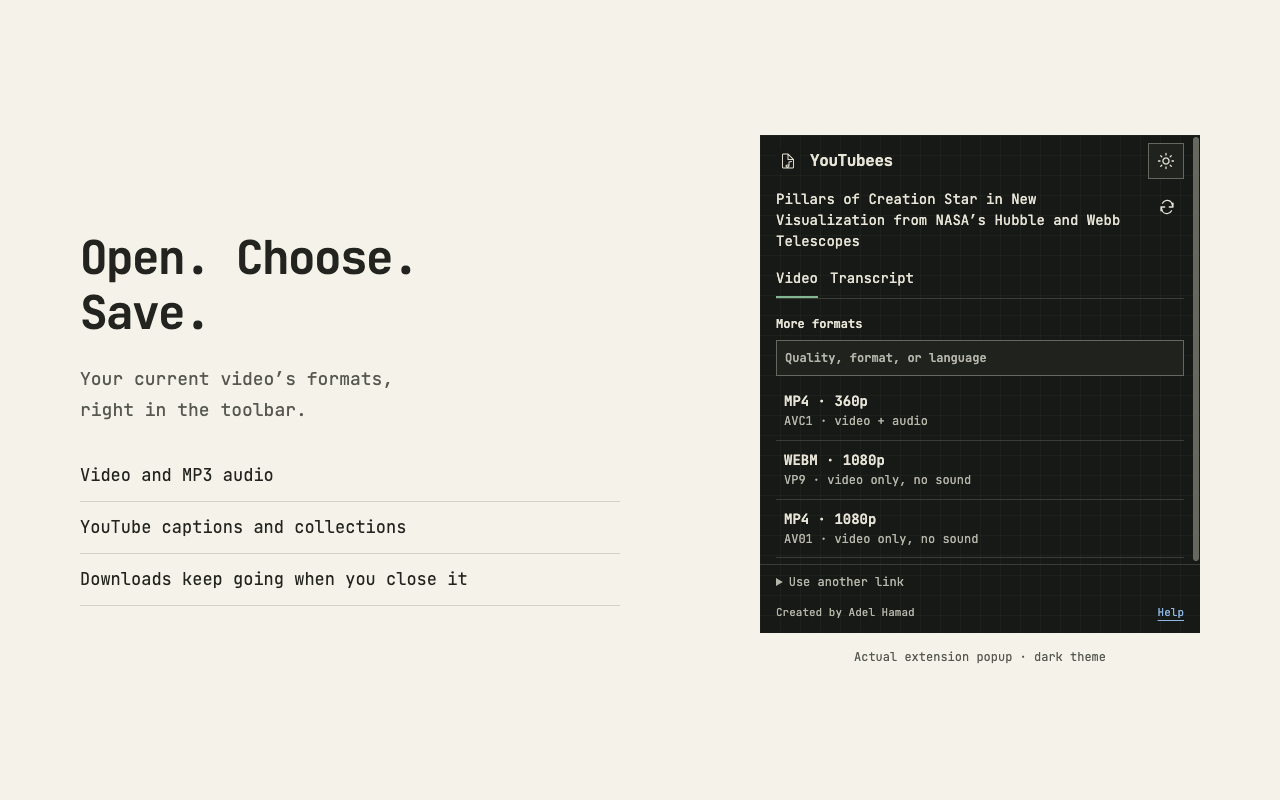
Your current tab, ready to save.
Open the extension to find the current video’s formats. Browse YouTube playlists and channels with thumbnails, duration and views when available, or search formats by quality, file type and language.
View full-size screenshot (new tab)Install once, then refresh.
- Extract the ZIP.
Keep the extracted folder somewhere permanent, such as Documents. The browser runs the extension from that folder.
- Open your browser’s extensions page.
Enter
chrome://extensionsin Chrome, oredge://extensionsin Edge. - Enable Developer mode and choose Load unpacked.
Select the extracted folder containing
manifest.json, then refresh YouTubees and any open video pages.
Two ways to save.
Paste a link here and choose Download with extension, or use the new Download button on a YouTube, Instagram, TikTok, Facebook, or X video page. For social videos, open the source and start playback before finding its formats.
Choose a format in the menu to start downloading. No extra page opens, and the download continues if you close the menu or toolbar popup. The popup recognizes the active video, YouTube playlist or channel, and supported video links on feed pages.
Recognized video cards also get a small download icon beside their title or controls. To hide or show these icons, open the extension popup’s Settings and change “Show download buttons on websites.”
In a video list, select several videos or all loaded entries, choose a quality or MP3, then queue them. Downloads run one at a time, with pause, cancel, and retry controls. Keep the browser open; the queue lasts for this browser session.
A few things to know.
This is a ZIP installation, not a Chrome Web Store listing. Mobile Chrome and Safari cannot install this version.
The browser asks for access to supported video sites and permission to save downloads. No account cookies or media are sent to YouTubees servers, and there is no paid proxy.
Source sites can still refuse access. Protected media and live broadcasts are not supported; available formats depend on what the source exposes. Local processing is limited to 500 MB per download.
To update, replace the extracted files with the new ZIP contents and click Reload on the extensions page. To remove the extension, click Remove there.